A9 Mini WiFi Camera for Authorized Home and Office Monitoring
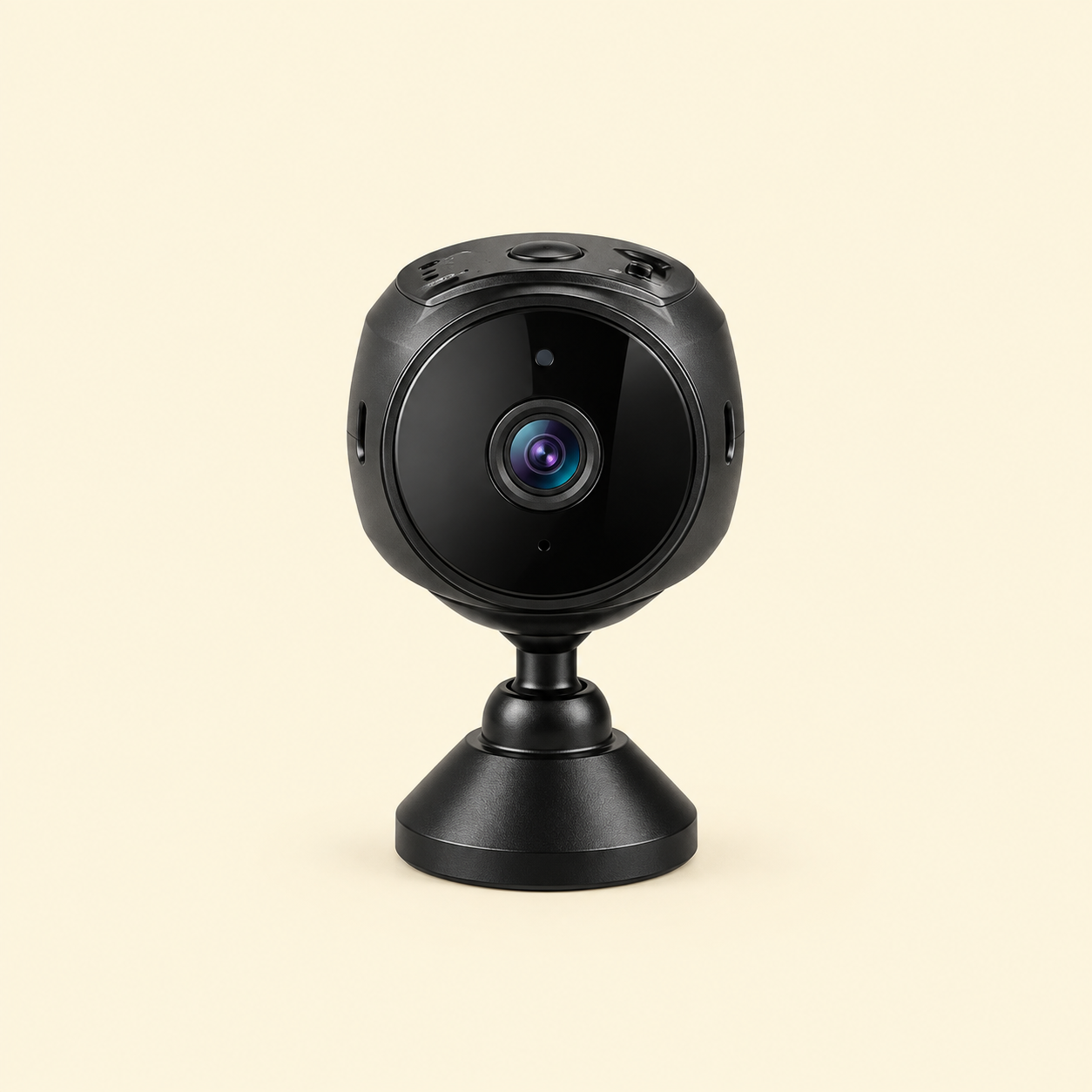
Monitor your home, office, shop or other authorized indoor space with the A9 Mini WiFi Camera. This compact wireless camera is designed with 1080P HD video, night vision, a magnetic mounting body and HDSF app support.
Its small size makes it suitable for flexible placement in areas where a standard camera may be difficult to install. However, always use the camera responsibly and follow local privacy and recording laws.
1080P HD WiFi Camera for Clear Video
The A9 1080P WiFi Camera is designed to provide clear video for everyday indoor monitoring. The image quality may help you view general activity, room movement and other visible details in suitable lighting conditions.
Actual video clarity can vary according to Wi‑Fi strength, lighting, camera position, storage settings and device compatibility. Therefore, confirm the exact resolution and video format from the supplier before publishing technical specifications.
Magnetic Mini Security Camera Design
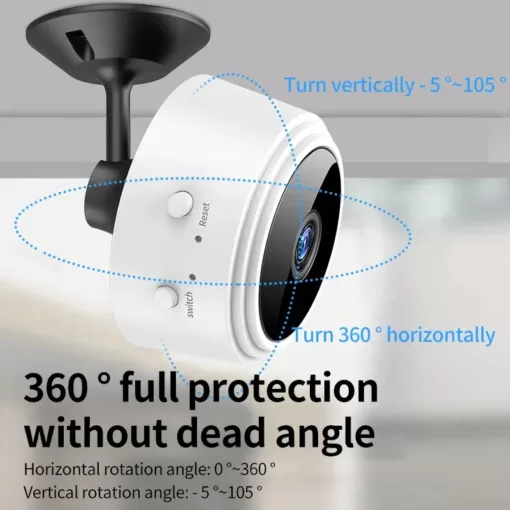
The built-in magnetic body makes the camera easy to position on suitable metal surfaces. You can place it on a compatible metal shelf, cabinet, stand or other stable mounting area.
In addition, the compact design allows flexible placement in homes, offices, shops and workspaces. Make sure the camera is mounted securely and does not obstruct walkways or create a risk of falling.
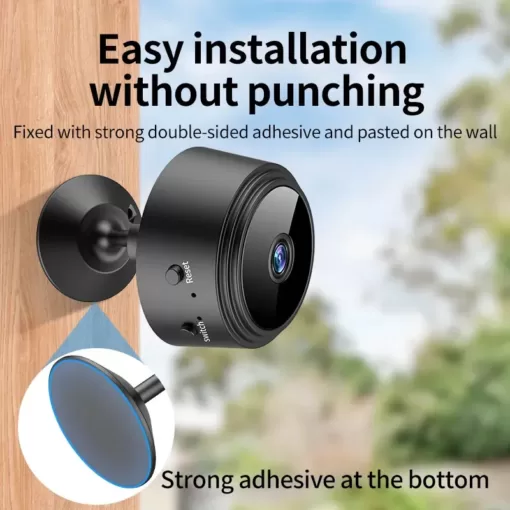
If you use the camera on a non-metal surface, use only a safe and approved mounting method. Do not damage walls, furniture or electrical equipment during installation.
WiFi Camera with HDSF App Support
The camera is advertised with HDSF app support for viewing and managing the camera on compatible devices. The exact app name, Android or iOS compatibility and setup process may vary by product batch.
First, download the correct application from the supplier’s instructions. Next, connect the camera to the required Wi‑Fi network or camera hotspot. Then, follow the in-app pairing steps.
Do not download unknown applications from unverified websites. Use the official app source provided with the product whenever possible.
Mini Camera with Night Vision
The night vision function is designed to help the camera capture video in low-light conditions. This may be useful for general indoor monitoring during the evening or in dim areas.
However, night vision performance depends on distance, darkness, reflections, camera angle and the surrounding environment. It does not guarantee colour video or perfect visibility in complete darkness.
Place the camera away from strong lights and reflective surfaces for better results.
Wireless Indoor Security Camera
This wireless indoor security camera can be used for authorized monitoring of:
- Home entrances
- Living rooms
- Offices
- Shops
- Storage rooms
- Workspaces
- Pet areas
- Indoor business spaces
- Other permitted locations
Use the camera only where recording is legal and where people have been appropriately informed when required.
Do not use it in bedrooms, bathrooms, changing areas or other private spaces without clear legal permission and informed consent.
Motion Detection and Alerts
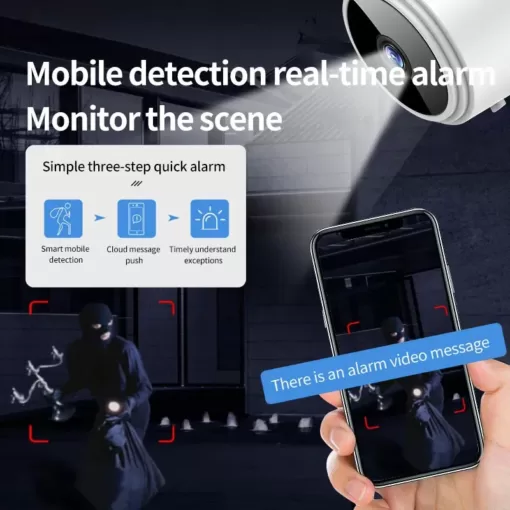
Some A9 camera variants may support motion detection and alerts through the compatible app. When enabled, the camera may notify you if movement is detected within its viewing area.
The exact detection range, alert system and sensitivity settings may vary by model. Confirm these features before adding them to the final product specifications.
Motion alerts can be affected by lighting, moving shadows, pets, curtains, fans and other environmental activity.
Local Storage and Memory Card Support
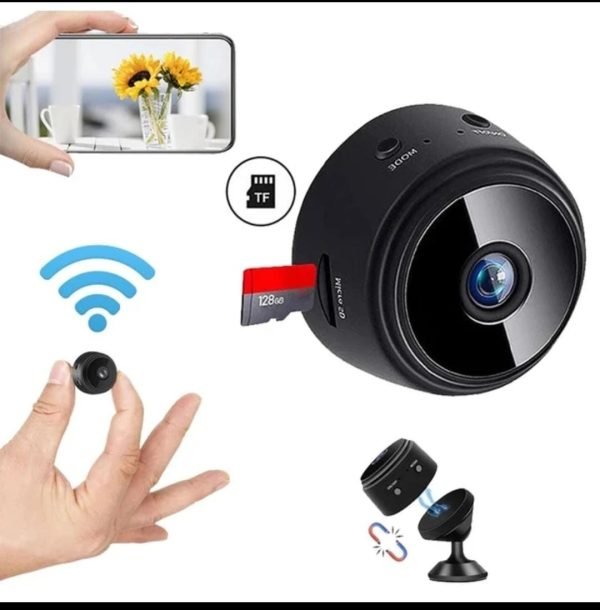
Some A9 Mini WiFi Camera models support local recording through a microSD or TF memory card. The card may not be included with the product.
Confirm the supported card capacity, recording format, loop recording function and card requirements before publishing. Do not insert a damaged or incompatible memory card.
If cloud storage is available, check whether it requires a separate subscription, app account or internet connection.
Live Viewing on Compatible Devices
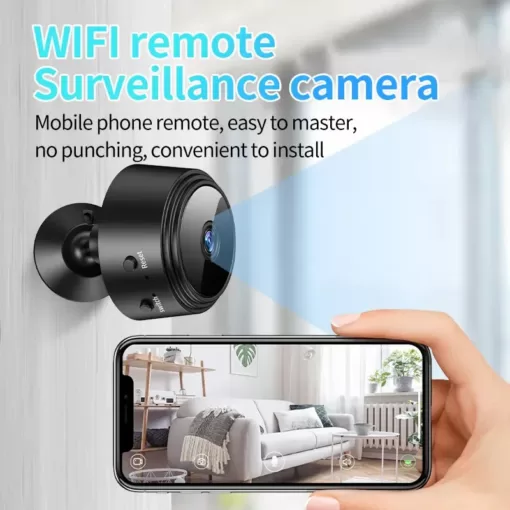
The camera may allow live viewing through the compatible HDSF app when correctly connected to Wi‑Fi or the camera’s supported hotspot mode.
Live video quality depends on internet speed, Wi‑Fi signal, app performance and device compatibility. For a more stable connection, place the camera within a reliable Wi‑Fi range.
Avoid using open or public Wi‑Fi networks for security devices whenever possible. Use a strong Wi‑Fi password and update the camera or app when official updates are available.
Compact Security Camera for Flexible Placement
The small design makes the camera convenient for indoor monitoring without taking up much space. You can place it on a shelf, desk, cabinet or suitable magnetic surface.
Before use, check the camera angle and make sure the lens has a clear view. Keep the lens clean and avoid placing objects directly in front of it.
Do not hide the camera in a way that records people without their knowledge or permission.
Power and Battery Information
The exact power method may vary according to the A9 camera model. Some variants use a built-in rechargeable battery, while others may require continuous USB power.
Confirm the battery capacity, charging time, operating time and cable type from the supplier before publishing. Do not rely on specifications from a different A9 variant.
Do not charge the camera with a damaged cable, wet port or unsuitable power adapter. Keep the camera away from water and excessive heat.
How to Set Up the A9 Mini WiFi Camera
- Charge or connect the camera according to the instructions.
- Install the confirmed HDSF app from a trusted source.
- Turn on the camera and wait for the indicator or setup signal.
- Enable Wi‑Fi and Bluetooth if the app requires them.
- Connect the camera to the supported Wi‑Fi network.
- Follow the pairing instructions inside the app.
- Choose a secure password for the camera account.
- Test the live view and night vision in the selected location.
- Adjust the camera angle for an authorized monitoring area.
- Confirm that recording and storage work correctly.
If the camera does not connect, reset it according to the manufacturer’s instructions and repeat the setup process.
Privacy and Responsible Use
This camera should be used only for lawful, authorized monitoring. Inform people about recording where local law requires notice or consent.
Do not use it for covert surveillance, harassment, privacy invasion or recording in private spaces. Also, secure your app account and Wi‑Fi network to reduce unauthorized access.
KhzanAPK customers should check their local laws and building or workplace policies before installing the device.
Care and Maintenance
Clean the camera lens with a soft, dry microfiber cloth. Do not spray liquid directly onto the lens, charging port, microphone or camera body.
Keep the device away from moisture, extreme temperatures, dust and direct heat. Also, do not open the camera or modify its internal components.
Check the mounting position regularly and make sure the magnetic base remains secure.
What Comes in the Package?
- 1 × A9 Mini WiFi Camera
- 1 × USB Charging Cable
- 1 × Magnetic Mount or Base
- 1 × User Manual
- 1 × App Setup Instructions
The exact accessories, cable type, battery, memory card support and mounting parts may vary by product batch. Confirm the final package contents before publishing.
Why Choose the A9 Mini WiFi Camera?
This mini WiFi camera may be a useful choice because it:
- Provides compact indoor monitoring
- Supports 1080P HD video, if confirmed
- Includes a magnetic mounting design
- Offers night vision for low-light viewing
- Supports HDSF app connection, if compatible
- May provide motion alerts, depending on the model
- Is suitable for authorized home and office use
- Is easy to position in suitable locations
- Takes up less space than larger cameras
- Can be useful for indoor security setups
Order the A9 Mini WiFi Camera from KhzanAPK
Improve your authorized indoor monitoring setup with the A9 Mini WiFi Camera. Its compact magnetic design, HD video, night vision and HDSF app support make it a practical option for suitable homes, offices, shops and workspaces.
Before ordering, check the app name, storage support, battery details, Wi‑Fi compatibility and package contents. Order online from KhzanAPK today.





















Reviews
Clear filtersThere are no reviews yet.